
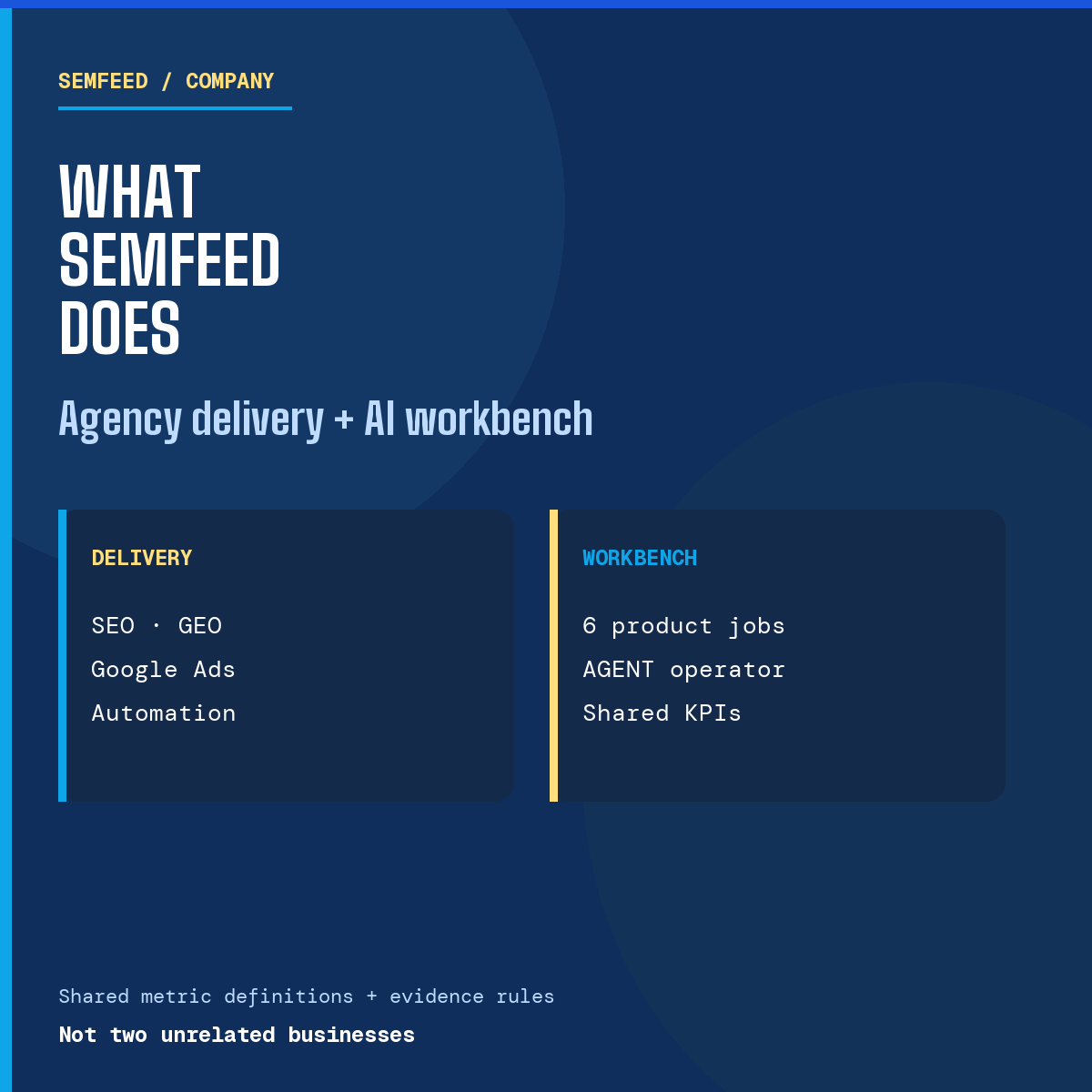
We do two things: deliver growth work for DTC brands, and turn the delivery system that already runs that work into a workbench clients can use themselves. Both sides share the same metric definitions and evidence rules, so this is not “agency ops with a software side hustle,” and it is not two unrelated businesses. The full service catalog—site builds, paid social, influencer outreach, and more—is covered in our company profile. This article lists the four delivery tracks that share DNA with the workbench, then what you can actually see and do inside the product.
Four delivery tracks we run for clients
Service delivery lives on semfeed.ai. These four tracks are the work we do for you; each row maps to a concrete deliverable:
| Track | What we do | What you get |
|---|---|---|
| SEO | Rebuild core pages—layout, copy, and images—queued from read-only Search Console data | Per-URL read-back of impressions, clicks, and positions—not a monthly article count |
| GEO | API-connected probes sample one fixed detection set | Recommendation rate, citation rate, and mention-only tables, plus readable cited sentences and domains, then suggested content types and source lists |
| Google Ads | Split the account into CPC search, Shopping, Performance Max, and GSC organic tracks; clear technical faults and external factors first; match 21 diagnostic rules | An action plan ranked by impact × difficulty, each item with a verification method and spend share |
| Automated delivery | Custom AI workflows for Shopify teams: locked fact sources, three review rounds, authorization gates, and read-back receipts | A seven-station pipeline; the channel page also publishes a seven-item list of claims we refuse to write |
SEO is not an article checklist. The execution queue comes from Search Console read-only data, and the work rewrites the core pages themselves. After each change we read the URL back; if impressions, clicks, or positions do not move as expected, we keep iterating. Publishing volume alone does not count as done.
GEO needs the three rates kept separate—they do not add up into one “AI visibility score.” Recommendation rate means the answer mentions the brand or links to the site; citation rate means a cited source includes a link to the site; mention-only means the brand appears without a link. Coverage is labeled as-is: ChatGPT sampling probes are connected; Search Console Generative AI CSV is not connected yet and will share the same detection set when it is. Limits on the channel page include a 50-keyword detection cap per store, sampling probes (not full-web indexing, not real-time), ChatGPT samples are not official Google AI exposure, and when brand aliases are unconfirmed the recommendation rate is computed from citations only.
Google Ads follows a fixed chain: compute metrics per track → detect anomalies per track → confirm direction with deeper metrics and raise confidence → match the rule library → output A/B/C-grade conclusions. Macro signals alone stay at medium confidence; deeper metric hits raise confidence to high. The twenty-one rules are product detail for a later article; here you only need to know root causes are matched, not invented.
Automated delivery ships a pipeline, not a prompt pack. Fact sources lock before writing, three review rounds split roles, automated jobs have no publish rights, and draft storage requires a read-back receipt. Those stations exist to govern every AI output. The seven refused claims on the page are what we refuse to write—on purpose.
Those four tracks are what we do for you. The next section flips to the side you can run yourself.
Six workbench jobs you can run yourself
The product surface lives on home.semfeed.ai. Each job is listed by the artifact you take away, not by a feature name alone:
| Job | What you get |
|---|---|
| Multi-channel connect | One-click auth for Shopify, Google Ads, Google Analytics, Search Console, and Meta Ads; automatic sync into storage; unconnected sources show status instead of pretending to have data |
| One board across channels | KPI cards, trends, and channel detail for GMV, ROAS, CVR, CPA, AOV, and MER—each metric shows its formula and data source underneath |
| Organic search diagnosis | Keyword rankings, organic attribution, and page-health scans; conclusions follow Search Console (official delay 48–72 hours; conclusions read as T-2) |
| GEO analysis | Brand visibility and citation opportunities in generative search inside the workbench, using the same reading rules as the service-side probes |
| AI root-cause diagnosis and actions | Pick a store and date range; get a report with root causes, metric breakdowns, and priorities—AI drafts, strategists review |
| PDF export and scheduled push | One-click PDF export; weekly or monthly delivery to the team inbox |
AI drafts root causes and recommendations in seconds; a senior strategist reviews feasibility line by line. The product copy on the workbench site is explicit: this is not a black-box AI. The board opens the numbers; what you take away is the diagnosis and the next step.
AGENT operator: what you can ask, how it answers, what happens next
Inside the workbench you can also ask in plain language. The entry point is home.semfeed.ai/agent. Ask about your own connected Shopify, Google Ads, GA4, Search Console, and related sources. AGENT pulls data for the question, breaks it down, and returns a conclusion with a next step. If the sample is too small, data has not landed yet, or the channel is not connected, the answer says so—it does not invent numbers.
What you can ask. Cards group everyday store questions, ad delivery, and monitoring / todos / weekly-report drafts. Live cards are marked Live and labeled as sample data where relevant: morning results, explaining swings, profit and refunds, series and wasted spend, monitoring, and weekly-report drafts. The questions hit your store’s numbers, not stock phrases.
How it answers. Four steps: clarify what you want to see → query only connected sources → organize the conclusion → run rules. Vague asks get options first so the query does not go the wrong way; operating numbers are not rewritten by mouth; thin samples block hard causal claims; delays and missing days go into the body. Read answers in a fixed order: conclusion → table or breakdown → sample-size and delay notes. The data / judgment / guard labels on cards mark what holds each sentence up—connected data is fact, system rules own definitions and risk, and AI only organizes wording on top of evidence. Ask about ads without connecting Google Ads and you get prompted to authorize first.
What happens after the answer. Three actions: one-click monitoring (for example, alert when ROAS falls below 2, written into the system with a receipt); todos that attach the current operating baseline; conclusions written into a weekly-report draft. The page also states a limit: automatic “review results when the todo comes due” is still strengthening in a later version—today you can store the baseline, not auto-close the loop.
Four guardrails belong together so AGENT is not heard as “it can change your accounts in chat”: small samples cannot force attribution; recent conversions may still be delayed and must be flagged; unconnected platforms cannot invent numbers; the conversation does not change budgets or send email. High-risk actions such as budget changes or outbound email are blocked by default or routed into a confirmation flow—they do not execute quietly in chat.
Shared metric formulas under every number
Agency monthly reports and workbench cards have to use the same formulas, or the two sides cannot corroborate each other. The KPI board on the workbench site states these five (the site uses ÷, kept here):
| Metric | Formula | source |
|---|---|
| GMV | Order total (refunds excluded, pre-tax) | Shopify |
| ROAS | Attributed revenue ÷ ad spend | Google Ads + Meta Ads |
| CPA | Ad spend ÷ conversions | Meta Ads | rising cost is negative |
| AOV | GMV ÷ orders | Shopify |
| MER | Total revenue ÷ total marketing spend | all-channel rollup |
The product stance is: every number can be asked for its definition. Formulas sit under each figure instead of a lone headline number. ROAS in a managed-service report and ROAS on a workbench card must mean the same thing—that shared base is why the two legs can prove each other.
Five connectors live, two still shipping
The workbench currently connects five sources, always named together: Shopify, Google Ads, Google Analytics (GA4), Google Search Console, and Meta Ads. Pinterest Ads and TikTok Shop connectors are in development—“coming next” refers only to workbench data access. Managed paid social on Meta, TikTok, and Pinterest is a separate service-side offering and is already listed in the full catalog.
Questions about unauthorized channels get an honest prompt; the system does not pad answers with another store’s numbers or industry averages. Console demo figures are labeled as not real client results. After you connect an account, the board shows your data and picks alert tiers from your monthly revenue.
How the two sides prove each other
Problems that keep showing up in delivery harden into workbench diagnostic rules; workbench definitions and guardrails then constrain how delivery writes conclusions. Google Ads is the clearest example: managed-service diagnosis matches root causes with 21 rules; the workbench productizes the same order—split tracks, clear technical faults and external factors, then match rules. Alert thresholds are not guessed: stores land in small (<$10K), medium ($10K–$100K), or large (>$100K) monthly-revenue bands, so the same datapoint can be fine for one store and an alert for another. The channel page’s plain-language example: ROAS 2.5× can be on-target for an $8K monthly-revenue store and an alert for a $300K store.
You can buy managed delivery alone, or register for the workbench alone. The legs can be purchased separately, but they cannot tell different stories—the shared base is what keeps the numbers aligned.
Next step
Want to see what a four-track split surfaces on your account? Book a diagnostic through semfeed.ai/contact-us—the form is in English, an email address is enough, and replies land within one business day. Prefer to try the product first? Start at ecom.semfeed.ai/sign-up.